Grid Generator
Generate a precise grid over any image: exact cell sizes from 0.1 to 100 centimeters or inches, adjustable line style, color and opacity, exported as PNG or print-ready PDF.
The generator runs on our homepage: upload an image and set your cells.
Exact Cells, Not Approximate Squares
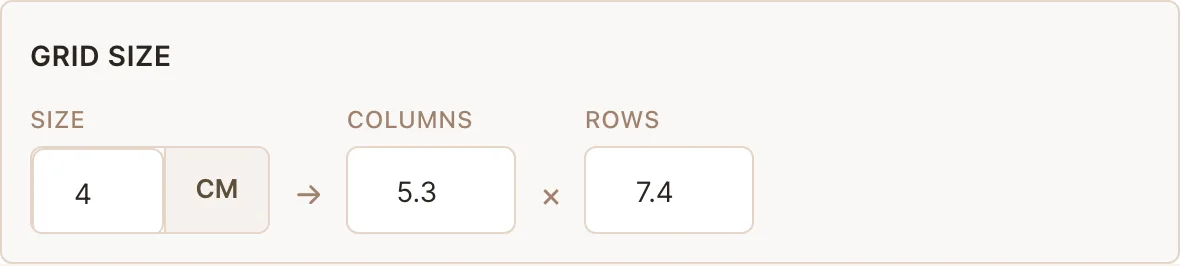
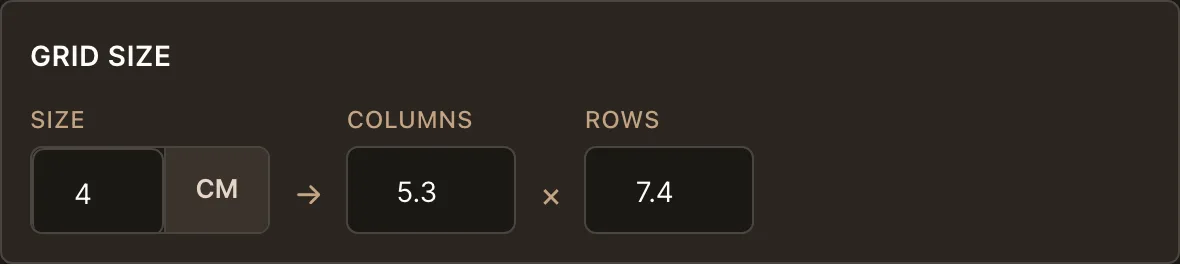
This grid generator works in real units. Enter a cell size in centimeters or inches and the columns and rows recompute automatically, fractional values included, so a 29.7 cm A4 sheet with 4 cm cells is 7.4 columns, exactly as it will be on paper. Change the columns instead, and cell size and rows follow. Whichever number you care about, the other two stay consistent. Whether the source picture carries enough pixels for the size you plan to print is a separate question, and it is answered in how to check the real print size of a reference.
A Grid Line Maker With Full Control
Grid lines have one job: stay visible on your image without burying it. That is why every line property is adjustable: solid, dashed or dotted style, thickness from 1 to 5 pixels, any color with nine presets and a free picker, and opacity from 0 to 100 percent. On a dark photo, a thin light dashed line at 60 percent reads clearly where a default black line would vanish.
Grid Generator for Drawing
Most people generate grids to draw from them. If that is you, the companion pages take it further: the grid for drawing page explains the method itself, and the grid maker for drawing page covers canvas matching for artists. Need blank grid paper without a photo underneath? Our printable grids are ready-made PDFs in common cell sizes.
Four neighbors cover the jobs this page leaves out. Lettered and numbered cells, so you can say which square you are working in instead of counting to it, come from the image grid maker. A grid wider than your printer sheet is tiled across several pages by the poster print grid. Blank sheets for a class, with a name line and a mirrored variant for pair work, come from the grid worksheet maker. And when all you want is the gridded picture itself, add a grid to a photo takes three steps.
Frequently Asked Questions
- What does a grid generator do?
- It overlays a mathematically even grid on an image. You control the cell size in real centimeters or inches, the number of columns and rows, and the look of every line, then export the result as PNG or a PDF that prints at true size.
- Can I generate a grid without uploading a photo?
- For blank grid paper, use our printable grids, which are ready-made high-resolution PDFs in common cell sizes. The generator itself is built around gridding an image or reference photo.
- How precise are the generated grid lines?
- Cell sizes are computed, not drawn by hand: a 2 cm cell is exactly 2 cm on the PDF export at 100 percent scale. The export includes a built-in true-to-size check, and a DPI readout warns about low-resolution sources before you waste paper.
- Can I change how the grid lines look?
- Yes: solid, dashed or dotted lines, 1 to 5 pixel thickness, any color, and 0 to 100 percent opacity. The right combination depends on your image: light dashed lines for dark photos, low opacity when the grid should whisper rather than shout.