How-to
Check the Real Print Size of Your Reference
A photo has no physical size until something decides one. Most tools quietly assume 96 pixels to the inch and print whatever comes out. We show you what your file actually declares, and say so plainly when it declares nothing.
Read what the file says about itself
Load your reference and the image panel reports its pixel dimensions. If the file carries a print resolution, you get the physical size that follows from it. If it does not, the panel says the size is unknown instead of inventing a number.
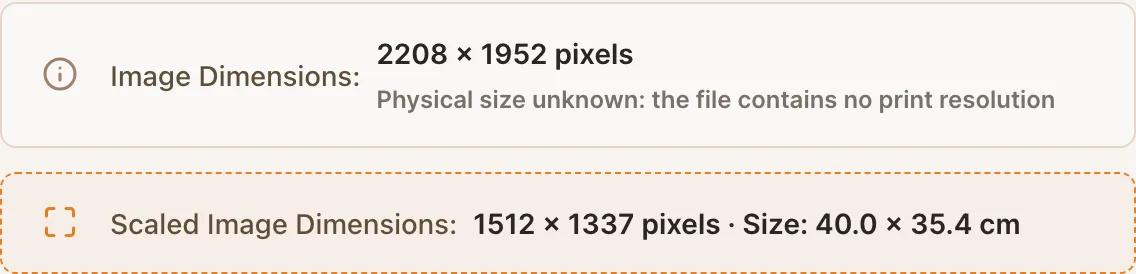
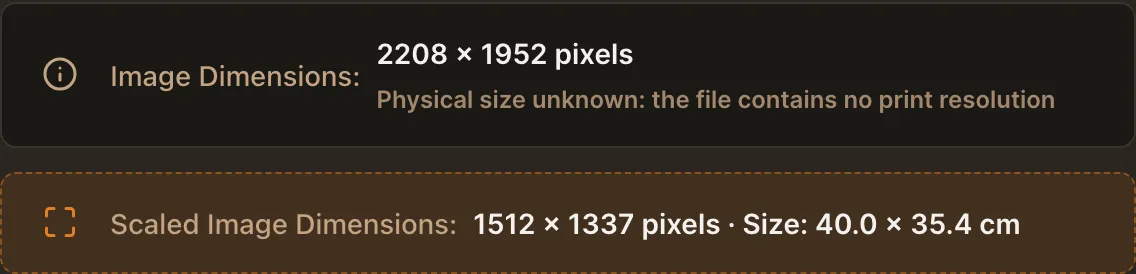
No print resolution in the file, so the tool says so rather than guessing. Know why the difference matters
Pixels are a count, not a length. The same 2208 pixel wide photo is 58 centimetres at 96 dots per inch and 19 at 300. A tool that assumes one of those and stays quiet will hand you a grid that prints at the wrong size, and you will only notice with a ruler on the finished sheet.
Set the size you actually want
Rather than trusting the file, state your canvas: switch to Grid on Canvas and enter the paper or the stretcher you will draw on. The panel then reports the scaled size, which is what the reference becomes on that surface, and the cells are computed for it.
Verify once with a ruler
Print a single page at 100 percent, never Fit to page, and measure one cell. If it matches the cell size you entered, every later print from the same setup is right too. If it does not, the print dialog scaled the sheet, which is the usual culprit.
Check your own photo
Drop a reference below. The tool opens and shows what the file declares.
Frequently asked questions
- Why does my photo have no physical size?
- Because most cameras and phone exports do not write one. Print resolution is metadata a file may carry, not something pixels imply. Scanners and print-oriented software usually set it, phone cameras usually do not.
- What is DPI, in one sentence?
- How many pixels are packed into one inch of paper, which is the number that turns a pixel count into a length. Higher packs the same pixels into a smaller print, lower spreads them over a larger one.
- Does a low resolution photo ruin the grid?
- Not the grid, which is drawn as geometry and stays sharp at any size. It limits how much detail you can see in a cell when you enlarge the reference, which is a different problem and the reason to start from the sharpest file you have.
- Which number should I trust for printing?
- The canvas size you entered. It is the only one you chose deliberately, and every measurement in the tool follows from it. The file's own resolution is useful information, not an instruction.