
Used by 170,000+ portrait artists

Portrait Grid Tool Get Perfect Face Proportions Every Time

Drawing portraits is hard. Eyes slightly off? Nose too wide? Our portrait grid tool helps you nail accurate face proportions so your portraits actually look like the subject.

  • Align grids precisely between eyes, not over them
  • Fine-tune grid positioning for facial landmarks
  • Scale from photo to any canvas size accurately
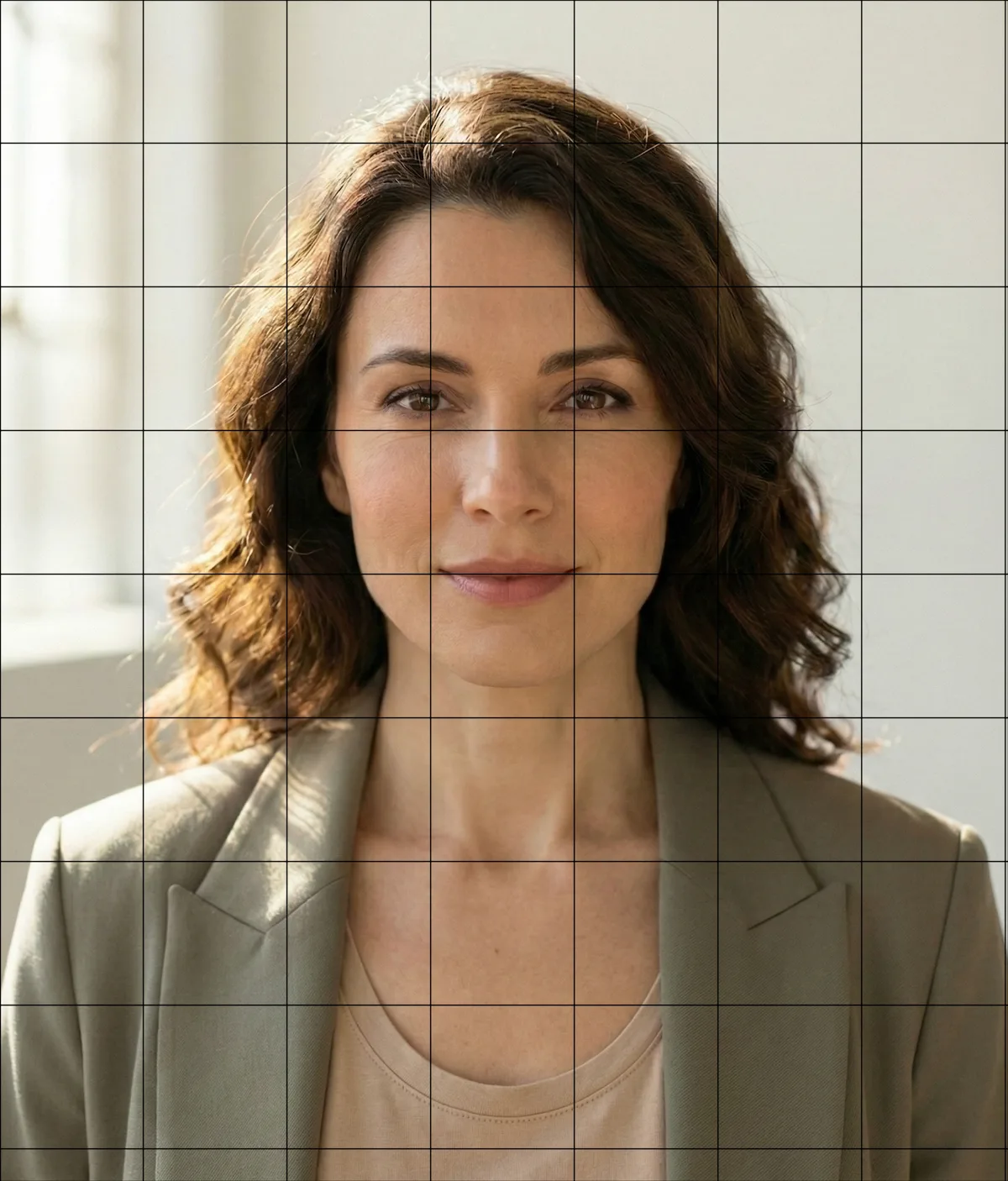
Portrait with precision grid overlay showing face proportions
Drag grids to align with facial features

Why Portrait Proportions Are So Hard

Even small errors make faces look "off"

Eye Placement

Eyes 2mm too far apart? The portrait looks like a stranger.

Nose & Mouth Alignment

Vertical alignment errors compound—one mistake affects everything below.

Scaling from Photo

Small reference to large canvas? Manual calculation errors multiply.

The Solution

Precision Grid Alignment for Faces

Our face proportion grid lets you drag and position grid lines to fall between key facial features—not over them. This means you can use eyes, nose tip, and chin as natural reference points.

Try it now →

Built for Portrait Artists

Features that matter for accurate face drawings

Fine Grid Sizes

Use 8×8 or 12×12 grids to capture subtle facial planes—eye corners, nostril width, lip shape. More cells = more reference points.

Cell Coordinates

Reference labels (A1, B2, C3) let you note exactly where features sit. "Left eye outer corner at D4" beats "somewhere around here."

Focus Mode

Isolate one cell at a time for highly detailed areas like eyes and lips. Reduces overwhelm on complex portraits.

Real-Size Matching

Set your canvas dimensions in cm or inches. We calculate exact grid proportions for perfect scaling from reference to drawing.

Edge Detection

Transform your reference into a line drawing. See where the major shadows and contours fall before you begin.

How to Grid a Portrait

Four steps to accurate face proportions

1

Upload Your Reference

Drop your portrait photo into the tool. Works with any image—phone photos, scanned prints, or professional portraits.

2

Choose Grid Density

For portraits, we recommend 8×8 or finer. More detail = smaller cells. Start with 8×8 if you're new to grid drawing.

3

Position the Grid

Drag the grid so lines align with key landmarks. Put vertical lines between eyes, horizontal lines at brow and nose base.

4

Export & Draw

Download as PNG or PDF. Draw a matching grid on your canvas and transfer cell by cell for accurate proportions.

170,000+Artists use GridMyPic
8×8Recommended grid for portraits
InstantGrid generation in your browser
"The grid method has been used by master artists for centuries, including Leonardo da Vinci and Albrecht Dürer. It's not cheating—it's a proven technique for training your eye."
Learn about the grid method's history →

Portrait Grid Questions

What grid size is best for portrait drawings?

How do I align the grid with facial features?

Can I scale a small photo to a large portrait?

Is using a grid for portraits cheating?

Ready to Draw Better Portraits?

Upload your reference photo and create a precision grid in seconds.