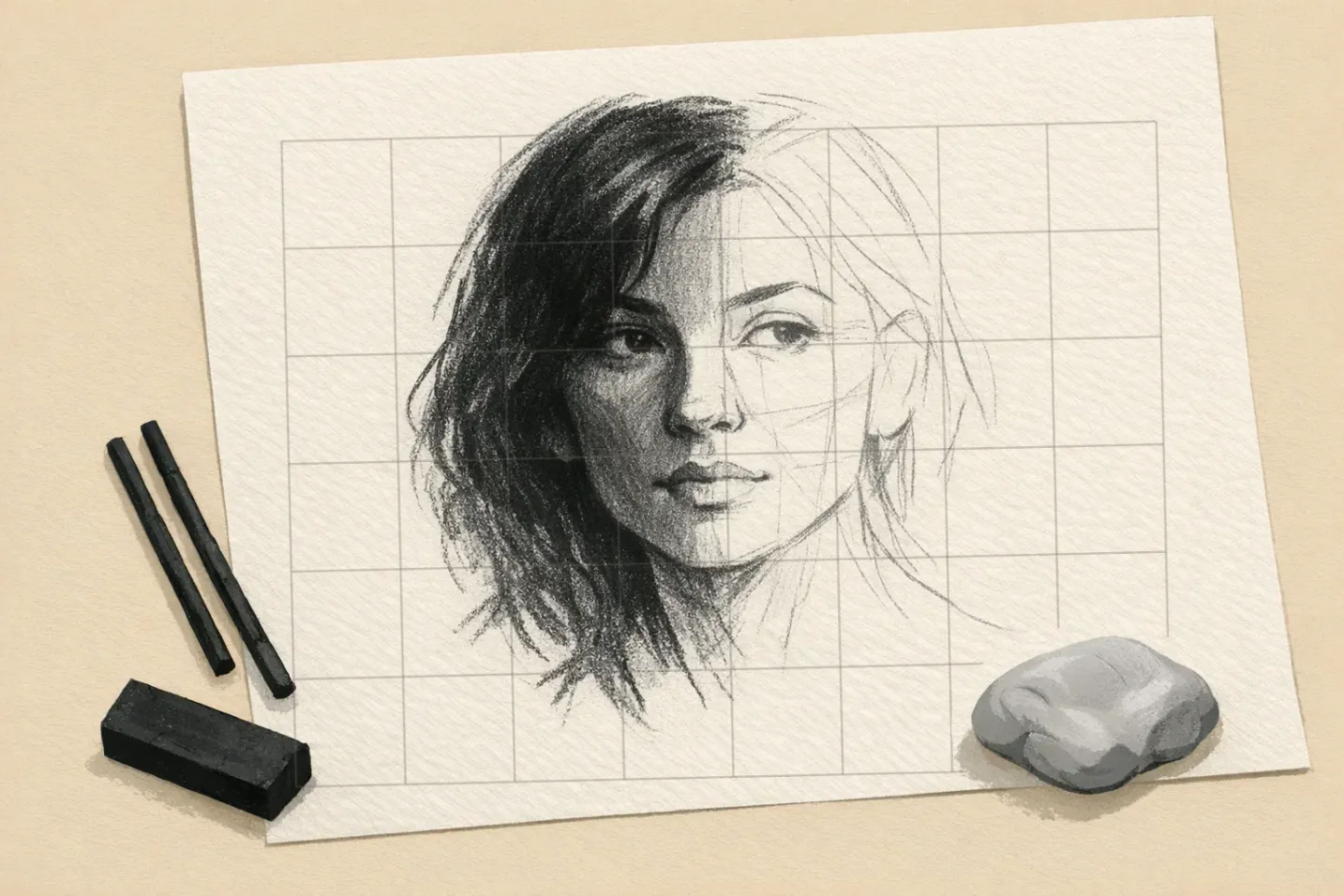

Charcoal is a blunt instrument. A stick held on its side lays down a mark two or three centimetres wide, which is why it can cover a sheet in a minute and why a nose can drift half an inch before you notice. A grid takes the placement off your hands, so all of your attention goes into value, which is what charcoal is for.
The trade-off runs the opposite way from pencil. Graphite gives you a precise line immediately and you spend the next hour finding the value. Charcoal gives you the value almost at once, and the precision is what you have to build in beforehand. That is the grid's job here: it tells you which square the eye corner sits in, so you never have to ask a stick of willow to be accurate.
This article assumes you can already draw a grid and scale it to your paper. If not, the basics of grid drawing for beginners covers the mechanics, and you can generate one from your own photo with our grid for drawing.
The four charcoals, and which one each job wants
They are not interchangeable, and the difference that decides most of it is whether there is a binder in the stick.
Willow and vine. Willow is the lightest charcoal there is, which is exactly what you want for construction lines. Vine goes a shade blacker. Both are binder-free, which is why the grid gets drawn with them: a line with no binder lifts off with a kneaded eraser and leaves the paper untouched. Buy medium-thickness willow.
Compressed charcoal. Charcoal powder pressed into sticks with a gum or wax binder. It gives you blacks that willow cannot reach, and it commits: the binder drives the particles into the tooth of the paper and a kneaded eraser will not pull them back out. Keep it for the darkest passages and apply it late.
Charcoal pencils. Charcoal in a wooden or paper casing, graded Hard, Medium and Soft, though some brands print HB through 6B instead. This is the only charcoal that will draw an eyelash, and the right tool for reinforcing grid intersections once the sticks have buried them.
Powdered charcoal. Loose powder applied with a brush, a chamois (a soft suede-like leather cloth) or your fingers. Powdered charcoal on a wide soft brush covers several cells in one stroke, which is how you get an even background without visible stick marks.
White charcoal, despite the name, is chalk (calcium carbonate) with a binder. It sits on top of black charcoal rather than mixing into it, so use it for the last two or three highlights on toned paper, not for lightening an area you overdid.
What paper, and how coarse should the grid be?
Charcoal needs tooth: enough surface texture to hold the particles. Weight matters less than most people assume. Paper is sold by gsm, grams per square metre, and for dry media that number tells you how well a sheet survives repeated erasing rather than how the charcoal sits on it. Strathmore 500 Charcoal is 95 gsm and takes charcoal well; Canson Mi-Teintes is 160 gsm, with a pronounced honeycomb tooth on one side and a smoother surface on the other. Copier paper is the one to avoid: there is nothing for the particles to lodge in, so the second layer slides over the first.
A mid-grey or cream sheet hands you a middle value to start from: you work down into it with charcoal and up out of it with an eraser or white chalk, and grid lines stay visible on it far longer than on white.
The carbon itself does not fade: it is the same substance as the pigment in ivory black paint. What ages is everything around it, meaning the gum or wax binder in compressed charcoal, and the paper. Buy paper that says acid-free or neutral pH on the pad and the drawing outlives you.
How coarse should the grid be? Coarser than you would use for pencil. A stick of charcoal held on its side lays down a mark two or three centimetres wide, so a cell smaller than that stops being a target and starts being a box you colour in. For a head-and-shoulders portrait on an 8x10 inch sheet, 8x10 cells — about one inch each — puts an eye inside roughly one cell: a misplaced pupil becomes a one-cell problem instead of a whole-face problem. Go finer only where you are working in charcoal pencil. For a figure, 6x8. For a landscape, 4x6.
The same portrait in graphite takes a denser grid, and how grids can help you create accurate graphite portraits uses 10x12 for it. That is a difference of medium rather than a disagreement about method: a 2H pencil can hit a target charcoal cannot even see.
Draw the grid itself with willow, at the lightest pressure that still leaves a line you can follow. A hard graphite line stays visible under charcoal for longer, but pressing graphite into paper burnishes the tooth flat, and charcoal will not sit on a burnished line. Willow you have to reinforce twice is the smaller problem.
Map the values into the squares before any charcoal touches the paper
Run the reference through GridMyPic's Outline Studio first. The extracted contour map shows where the hard and soft edges sit, so you know in advance which squares carry a crisp boundary and which dissolve into tone. Extract the outline here.
Then give every square a number. Use the Munsell direction, where 10 is white and 1 is black, because that is how bought value scales and value finders are printed, and an inverted map is worse than no map. Some teachers number the other way, so the first thing to check on any scale you buy is which end the 1 is on.
Write the numbers on the reference print, not on the drawing. Most squares hold more than one value: record the dominant one and note the exception beside it.
One thing to hold on to while you assign numbers: a rough surface reads darker than a smooth one under the same light, because the light bounces around inside the texture and gets absorbed instead of coming back to you. This is why bark and silk lit identically are not the same value. Assign numbers from what the reference actually shows rather than from what you know the material to be, and this is the effect you stop missing.
Mark the highlights with tiny dots before any charcoal goes down. Paper white you never covered is brighter than paper white you erased back to.
Four passes, in this order
1. Block in the masses. Hold the vine stick on its side at a shallow angle. The whole length contacts the paper and you get flat, even coverage across cells instead of a stroke. Aim for the middle of the range everywhere, with nothing near black yet, and ignore every internal detail. What you want out of this pass is a drawing where the big shapes are already in the right squares.
2. Separate the middle values. This is where the form appears, and it decides whether the drawing works. Compare each square against its neighbours, not against the reference in isolation: a value is only right relative to what surrounds it. Powdered charcoal on a brush or a chamois handles the broad transitions, a vine stick anything with an edge.
3. Put in the darks. Compressed charcoal, applied to the few places that genuinely need it: the pupil, the nostril, the shadow under the jaw, the gap between two folds. Charcoal's intensity means the darks arrive faster than you expect and cannot be undone, so put in half of what you think you want and look again from three metres away.
4. Take out the lights. A kneaded eraser moulded to a point lifts soft highlights; a vinyl eraser cuts a hard one. Work from your dotted marks rather than hunting for highlights afterwards. While you have the kneaded eraser in hand, dab out any grid lines still showing in open areas, because shading over them traps the line where it can never be removed.
Expect the value work to take longer than everything else combined, and expect the last ten minutes to be about stopping rather than adding.
Fixative darkens your lights — spray it knowing that
One thing to know before the first spray: fixative darkens what is already on the paper, and it takes the lightest values down hardest. Your erased highlights are the first casualty. Spray in several very light passes rather than one wet one, from 12–16 inches (Krylon's own figure on the Workable Fixatif can), and do the highlights after the last coat, not before it. Test on a scrap of the same paper first, because the shift varies between brands.
Workable fixative is formulated so you can keep drawing over it. Final fixative seals the surface and nothing more goes on top of it. For anything unfinished, use workable. Two or three passes, each barely wetting the surface, then give it fifteen minutes before you go back in.
Dust management. Hold the sheet vertically and tap the back of it so the loose charcoal falls off; do not blow it off and do not use a can of compressed air, because that is the main way charcoal dust ends up in your lungs rather than on the floor. Wipe margins with a soft brush or a damp cloth rather than a dry one, which just moves the dust around. The same reason applies to fixative: spray it outdoors or at an open window, not over the desk.
Keep your hand off the surface. A mahl stick, a rod with a padded ball at one end that rests against the edge of the board, holds the drawing hand clear; a clean sheet under the heel of your hand does the same job for less. Store the finished drawing flat with a sheet of glassine over the face, or the charcoal prints itself onto whatever sits above it.
Charcoal on canvas: the underdrawing for an oil painting
Charcoal is the traditional way to get a gridded drawing onto primed canvas. Draw the grid with thin willow rather than pencil, at a pressure that leaves it barely visible, and plot the drawing with the same lines you would use on paper. The advantage over pencil is that a rag takes the whole thing off and you can start again.
Do you need to seal it? Usually not, and the sealing is the riskier half. Charcoal is chemically close to ivory black oil paint, so it does not fight the paint. What it does do is lift as loose dust and grey your first light passages. Knock the excess back before you paint, with a light swipe of a paper towel until only a faint line survives, and paint straight onto that. If you still want it fixed, one very light pass of workable fixative is enough.
Four ways a charcoal grid drawing goes wrong
It has gone muddy. The symptoms are a slick surface, a kneaded eraser that lifts almost nothing, and squares that used to differ now reading as one grey. The cause is too many passes over the same tooth. Lift a whole region back, spray one light coat of workable fixative for a fresh surface, and rebuild with fewer, firmer decisions.
You can still see the squares. Values jump at the cell boundaries because each square was finished as a self-contained unit. Use the grid for placement and the block-in only. From the middle-value pass onward, work strokes that deliberately run across the lines.
The grid has disappeared. Reinforce intersections rather than whole lines, with a charcoal pencil or a hard graphite pencil, and only where you still need a measurement. Photographing the drawing at the block-in stage gives you a record of where the lines were, which is usually enough to recover a landmark without touching the surface at all.
The face reads as parts stuck onto a head. Two habits cause most of it. Do not outline the lips, because a line round a lip reads as a lip-shaped object stuck on the face; model it with value change and the mouth sits in the skin. And work vine charcoal into the tooth for the hair mass first, then put in ten or fifteen strands with a pencil. Drawing every strand reads as wig.
Your next drawing: ten squares, white to black
Rule a row of ten squares, each about an inch, and number them 10 down to 1 so the row reads the way a bought value scale does. Leave square 10 as bare paper. Fill square 1 with the blackest compressed charcoal you own, pushed as far as it will go. Then work the eight steps between them so the jump from any square to the next is the same size.
It is harder than it sounds. Most people hold five or six distinct steps before the middle collapses, and square 1 is almost always dark grey rather than black. Use the paper you plan to draw on, since the same stick reads differently on different tooth, and keep the strip beside you while you number the reference. It turns "this square is dark" into "this square is a 3", which is the only version of the instruction you can act on.
Common Questions About Charcoal Grid Drawing
If you want the underlying method rather than the medium, introduction to grid drawing covers how gridding works across any subject.
Ready to Try the Grid Method?
Put these techniques into practice with our free grid generator tool—trusted by 170,000+ artists worldwide.
Create Your Grid Now →